Desktop Softphones
How to Launch the App at Startup
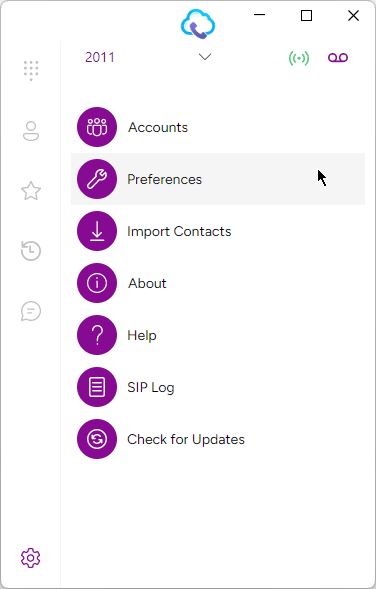
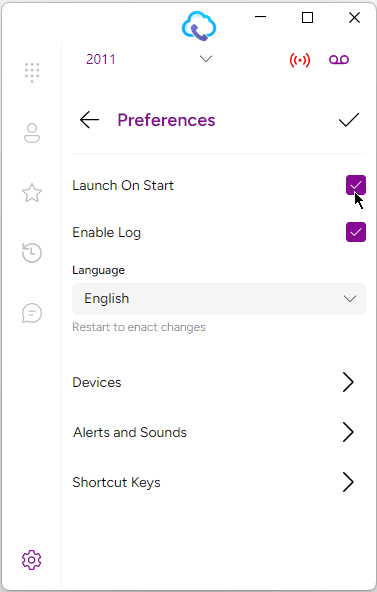
Navigate to the Settings tab and click on ‘Preferences’. Check the box next to ‘Launch On Start’ to enable the app to open automatically at startup.
Last updated on
Navigate to the Settings tab and click on ‘Preferences’. Check the box next to ‘Launch On Start’ to enable the app to open automatically at startup.